

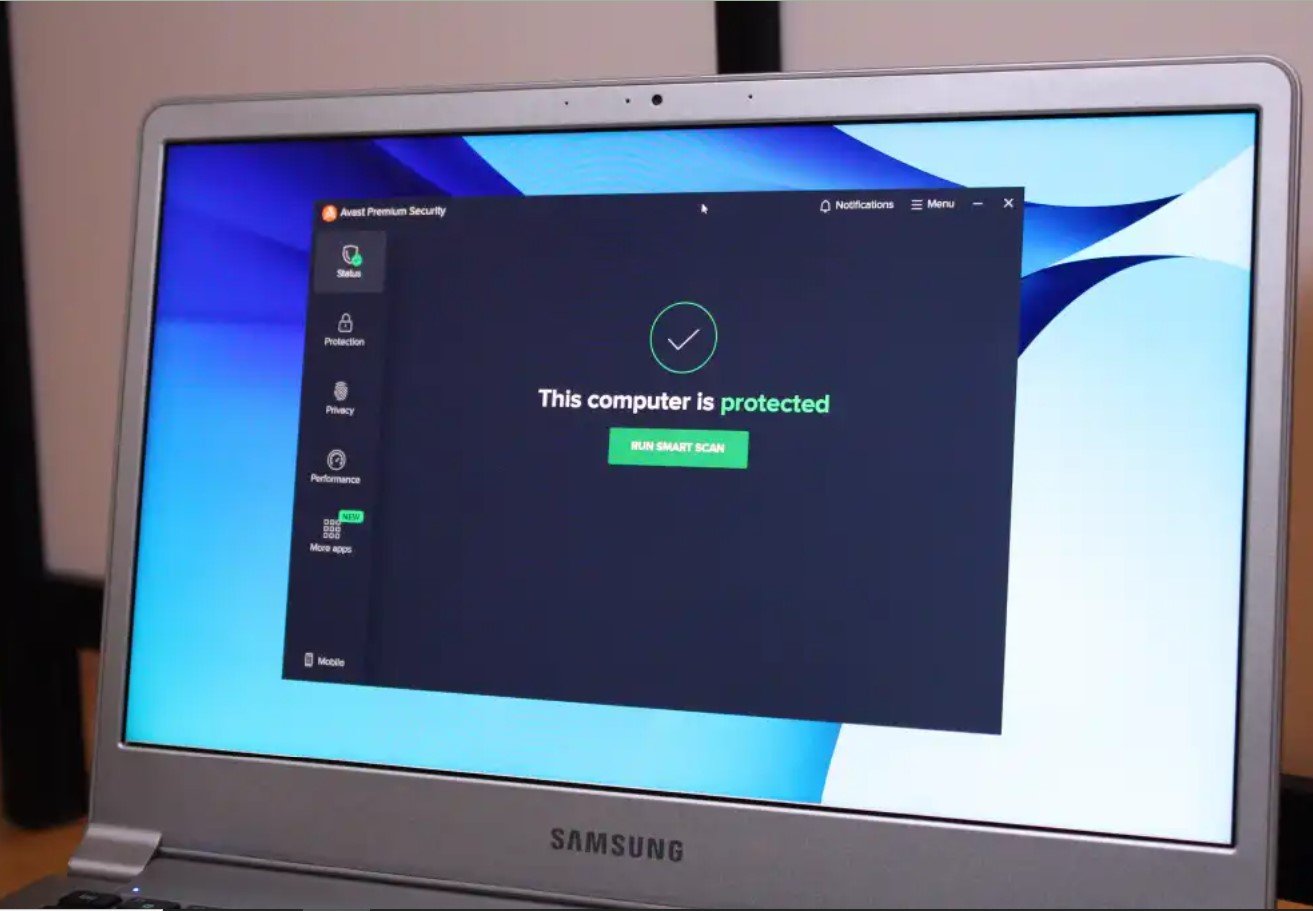
Does that mean paid antivirus software has become unnecessary? For many careful home users, the built-in protection may be sufficient. However, that does not mean antivirus itself is obsolete. It means that antivirus is now included with your operating system.
Third-party security software becomes valuable when you need additional protection against fraudulent websites, scam messages, ransomware, account breaches, unsafe downloads, or threats across several devices. Paid suites can also include password managers, VPNs, parental controls, identity monitoring, and cloud backup.
The right decision depends on your behavior, the value of the information stored on your devices, and whether you will actually use the additional features.
Quick Antivirus Comparison
| Security Option | Ideal For | Main Strength | Potential Drawback |
|---|---|---|---|
| Microsoft Defender | Careful Windows users | Effective protection included with Windows | Fewer bundled privacy and identity tools |
| Bitdefender | Users wanting strong layered protection | Malware, ransomware, scam, and web protection | VPN limits depend on the selected plan |
| Norton 360 | Families and multi-device households | Security, VPN, backup, and monitoring tools | Renewal prices can be much higher than introductory offers |
| ESET Home Security | Users wanting configurable protection | Multi-platform security with granular settings | Some advanced features require higher plans |
| Malwarebytes Premium | People wanting straightforward protection | Malware removal, real-time security, and scam blocking | Plan and device limits require careful comparison |
Is Microsoft Defender Good Enough?
Microsoft Defender Antivirus is built into current versions of Windows. Its real-time protection scans files and programs as they are accessed, downloaded, or executed.
The wider Windows Security application also includes firewall management, account protection, device-security controls, application and browser protection, and ransomware settings. Controlled Folder Access can prevent untrusted applications from changing files in protected folders, while Defender Offline can scan a computer outside the normal Windows environment.
Independent testing also shows that Microsoft’s built-in protection should not be dismissed as a basic placeholder. Microsoft received an Advanced+ award in the February–May 2026 AV-Comparatives Real-World Protection Test, alongside several leading commercial products.
Defender should be sufficient for many users who:
- Keep Windows and their browsers updated.
- Download software only from trustworthy sources.
- Do not use pirated applications or suspicious activation tools.
- Recognize common phishing and fake-support scams.
- Maintain separate backups of important files.
- Use strong authentication on important accounts.
The main reason to replace Defender is not necessarily better basic virus detection. It is usually the need for a broader, easier-to-manage security package.
Choose Microsoft Defender if: You are a careful Windows user who wants dependable protection without another subscription.
Bitdefender: Strong Layered Protection Across Devices
Bitdefender Premium Security combines malware protection with anti-ransomware technology, scam protection, web security, a password manager, email breach checking, and an unlimited VPN.
Less expensive Bitdefender plans may include the same core security engine but place limits on VPN traffic or exclude certain privacy and identity tools. This makes it important to compare the complete feature list rather than purchasing solely because a plan carries the Bitdefender name.
Bitdefender’s cross-platform plans can protect Windows, macOS, Android, and iOS devices, although the exact features differ by operating system. Desktop operating systems allow deeper malware scanning, while mobile editions tend to emphasize dangerous websites, scam messages, account privacy, and network protection.
Bitdefender was among the products receiving an Advanced+ award in AV-Comparatives’ February–May 2026 Real-World Protection Test. That does not guarantee perfect protection against every future threat, but it provides useful evidence beyond the company’s own marketing claims.
Choose Bitdefender if: You want well-tested malware protection combined with web, scam, ransomware, and privacy features.
Compare Bitdefender security plans
Norton 360 Deluxe: An All-in-One Security Package
Norton 360 Deluxe is designed for people who want more than antivirus protection. Depending on the country and current plan, it can include malware and ransomware protection, a VPN, password management, dark-web monitoring, parental controls, and cloud backup.
The Deluxe plan currently supports multiple computers, phones, and tablets. Its cloud backup allocation is useful for documents and other important files, but Norton states that the Cloud Backup feature is available on supported Windows systems rather than every covered platform.
Norton also received an Advanced+ award in AV-Comparatives’ February–May 2026 real-world test. AV-TEST evaluated Norton 360 during March and April 2026 using current publicly available versions and realistic threat scenarios.
Norton’s greatest advantage is convenience. One subscription can replace separate antivirus, VPN, parental-control, breach-monitoring, and password-management subscriptions. The disadvantage is that users may pay for tools they do not need.
Check the renewal conditions carefully. Norton frequently advertises discounted introductory periods, while the following year may renew at the standard rate. Confirm whether automatic renewal is enabled and how much the subscription will cost after the promotion.
Choose Norton 360 Deluxe if: You want a broad family security package with multiple supporting tools under one subscription.
ESET Home Security: Flexible Protection for More Technical Users
ESET Home Security is a compelling option for users who prefer detailed controls and do not want an overly simplified security application.
ESET’s home subscriptions can cover Windows, macOS, and Android devices. Features vary by plan and operating system but can include antivirus, ransomware protection, anti-phishing tools, network security, password management, data encryption, metadata cleanup, identity monitoring, and VPN access.
The ability to select the number of protected devices can be helpful when you have an unusual combination of computers and phones. ESET also provides a free trial, allowing you to check compatibility and performance before committing to a subscription.
ESET participated in AV-TEST’s 2026 Windows security evaluations. As with every product, prospective customers should review the latest individual test results because malware protection, false positives, and performance can change as products are updated.
Choose ESET if: You want multi-platform protection with more control over security settings and device coverage.
Explore ESET Home Security plans
Malwarebytes Premium: Straightforward Malware and Scam Protection
Malwarebytes Premium Security has evolved beyond its original reputation as a tool used mainly to clean already infected computers. The paid version provides continuous protection against malware, ransomware, malicious websites, and online scams.
Malwarebytes distinguishes its free and paid products clearly. The free version is primarily an on-demand cleanup tool, while Premium Security runs automatically and attempts to stop attacks before they infect the device.
Current subscriptions can cover Windows, macOS, Android, and iOS. Higher plans may add a VPN, ad and tracker blocking, dark-web monitoring, and support for more devices.
Malwarebytes is particularly useful for someone who wants a less intimidating interface. Its browser protection can also help identify suspicious sites, unwanted tracking, and common web-based threats.
Choose Malwarebytes if: You want simple real-time security or a reputable on-demand tool for investigating a possibly infected computer.
Do Mac Users Need Antivirus?
Mac computers are not unprotected by default. Apple explains that macOS uses three layers of malware defense:
- The App Store, Gatekeeper, and Notarization help prevent malicious software from launching.
- Gatekeeper, Notarization, and XProtect help block detected malware.
- XProtect helps remediate malware that has already executed.
For a careful user who installs applications from the App Store or trusted developers, keeps macOS updated, and does not bypass security warnings, Apple’s built-in protections may be sufficient.
Third-party Mac security becomes more attractive when the computer is used for sensitive business data, frequent file exchanges, cryptocurrency, online banking, or downloads from many external sources. Web and phishing protection can also stop attacks that do not depend on installing traditional Mac malware.
Remember that security software cannot compensate for deliberately bypassing Gatekeeper warnings or granting unknown applications access to files, passwords, the camera, or screen recording.
What About Android Phones?
Android devices with Google services include Google Play Protect. It checks applications for harmful behavior before installation and periodically scans the device afterward.
Additional mobile security may be worthwhile if you frequently install applications from outside Google Play, click links received through messaging applications, connect to public Wi-Fi, or want breach monitoring and scam-site protection.
Whatever software you choose, avoid downloading unofficial “premium” APK files. Applications advertised as free modified versions of paid software are a common route for malicious code and stolen account credentials.
Never Run Two Real-Time Antivirus Products Together
More security software does not automatically provide more security. Microsoft advises against running multiple real-time antivirus or antispyware products simultaneously because they can reduce performance, cause instability, or interfere with updates.
Installing a recognized third-party antivirus normally causes Microsoft Defender Antivirus to step back as the primary real-time scanner. On-demand scanners can still be used for a second opinion because they operate only when requested.
If you replace one security suite with another, uninstall the old product, restart the computer, and verify that the new product’s real-time protection is active.
Features to Compare Before Purchasing
Malware and Ransomware Protection
Look beyond the company’s marketing language. Review recent results from independent laboratories such as AV-TEST and AV-Comparatives, including protection, false-alarm, and performance tests.
Phishing and Scam Protection
Many attacks now attempt to persuade users to surrender passwords, payment information, or remote access. A security suite should evaluate dangerous websites and suspicious links rather than focusing only on downloaded files.
VPN Limitations
Confirm whether the included VPN provides unlimited traffic. Entry-level plans sometimes include only a small daily allowance, which is unsuitable for regular browsing or streaming.
Password Management
A bundled password manager is valuable only if it supports your devices, browsers, secure imports, and account-recovery needs. Do not continue reusing passwords merely because your antivirus subscription includes breach alerts.
Device and Operating-System Limits
A subscription advertised for several devices may provide different features on Windows, macOS, Android, and iOS. Read the operating-system-specific comparison before paying.
Introductory and Renewal Prices
Security products are frequently sold with large first-year discounts. Compare the regular renewal price, cancellation process, refund policy, and automatic-renewal terms.
Antivirus Is Only One Part of Your Security
Even an excellent security suite cannot protect an account after you voluntarily provide its password to a convincing scammer. Your security plan should also include:
- Automatic updates for the operating system, browser, and applications.
- Multi-factor authentication or passkeys on important accounts.
- A unique password for every service.
- Separate backups that ransomware cannot easily modify.
- Careful review of unexpected links and attachments.
- Downloads from official developers and application stores.
- Device encryption and a strong screen-lock code.
- Limited administrator privileges for everyday computer use.
Frequently Asked Questions
Do I need to pay for antivirus on Windows 11?
Not necessarily. Microsoft Defender provides capable built-in protection for many home users. A paid product is more useful when you want additional web protection, a VPN, backup, parental controls, identity monitoring, or easier multi-device management.
Is free antivirus safe?
Free security software from a reputable company can be safe, but check what it actually includes. Some free products provide real-time protection, while others perform only manual scans. Download installers exclusively from the developer’s official website or recognized app store.
Will antivirus stop every scam?
No. Security software may flag suspicious sites, files, and messages, but no product can detect every new attack. Be particularly cautious when someone demands urgent payment, requests remote access, or asks you to reveal a one-time security code.
Does a VPN replace antivirus?
No. A VPN encrypts network traffic between your device and the VPN service. It does not automatically prevent malicious attachments, ransomware, unsafe applications, or phishing pages from compromising the device.
Should I buy antivirus for an old computer?
Security software cannot make an unsupported operating system fully safe. If your computer no longer receives operating-system security updates, upgrading the system or replacing the device should take priority.
Final Recommendation
If you use Windows carefully and want to avoid another subscription, keep Microsoft Defender enabled and combine it with updates, strong authentication, and reliable backups.
For broader paid protection, Bitdefender offers an excellent balance of malware, ransomware, web, and scam defenses. Norton 360 Deluxe is the more convenient all-in-one choice for households that will use its VPN, backup, parental-control, and monitoring features.
ESET Home Security is a strong fit for users who prefer more control, while Malwarebytes Premium provides an approachable option for real-time protection and malicious-site blocking.
You still need antivirus protection—but you may already have it. Before purchasing another subscription, identify what your current operating system protects, which additional risks concern you, and whether the paid features will genuinely improve your security habits.