

The most dependable printer is not necessarily the most expensive. It is the one designed for your actual workload. Someone printing contracts in black and white needs a different machine from a designer producing color presentations or a small business scanning dozens of invoices every week.
After more than a decade of working with office technology, my advice is to evaluate the printing system before comparing individual models. Decide whether you need laser, cartridge inkjet, or refillable ink tanks. Then examine paper capacity, scanning, connectivity, consumable costs, and warranty support.
Quick Home-Office Printer Comparison
| Printer | Printer Type | Ideal For | Notable Features |
|---|---|---|---|
| Brother MFC-L2820DW | Monochrome laser all-in-one | Contracts, reports, invoices, and forms | Fast printing, ADF, fax, duplex printing |
| Canon Color imageCLASS MF665Cdw | Color laser all-in-one | Professional color documents | Single-pass duplex scanning and large touchscreen |
| Epson EcoTank ET-4950 | Refillable color ink-tank all-in-one | Frequent color and black printing | Low-cost ink bottles, ADF, duplex printing and scanning |
| HP OfficeJet Pro 9120 Series | Business color inkjet all-in-one | Flexible home and small offices | Fast color output, duplex scanning, fax, mobile printing |
Laser, Inkjet, or Ink Tank?
Monochrome Laser Printers
A monochrome laser printer produces black-and-white documents using toner. It is usually the most sensible choice when you primarily print contracts, medical forms, invoices, assignments, reports, or shipping documents.
Toner does not dry out in the same way liquid ink can. This makes a laser printer particularly suitable for people who may print heavily one week and leave the printer unused the next.
Laser printers generally produce sharp text quickly, but an affordable monochrome model cannot print color. Photographs and graphics are also not their main strength.
Color Laser Printers
A color laser printer combines sharp text with business-quality color. It is useful for presentations, charts, brochures, reports, and proposals that need consistent output on ordinary office paper.
The printer itself and a complete set of replacement toner cartridges can be expensive. Color laser machines are also larger and heavier than many inkjets. Calculate the full cost of replacing all four toner cartridges before purchasing.
Traditional Cartridge Inkjet Printers
Cartridge inkjets have relatively low purchase prices and can produce attractive color documents and photographs. They are practical for households that need a mixture of office printing, schoolwork, photos, and occasional creative projects.
The drawback is running cost. Small cartridges may require frequent replacement, and printheads can require cleaning when the printer remains unused for extended periods.
Refillable Ink-Tank Printers
Tank printers replace small cartridges with large reservoirs filled from bottles. They cost more initially but can dramatically reduce the cost per page for people who print regularly.
An ink-tank printer is most economical when you actually use it. It may be unnecessary for someone printing ten pages every three months. Like other inkjets, it should also be used periodically to keep ink moving through the printhead.
Brother MFC-L2820DW: A Practical Black-and-White Workhorse
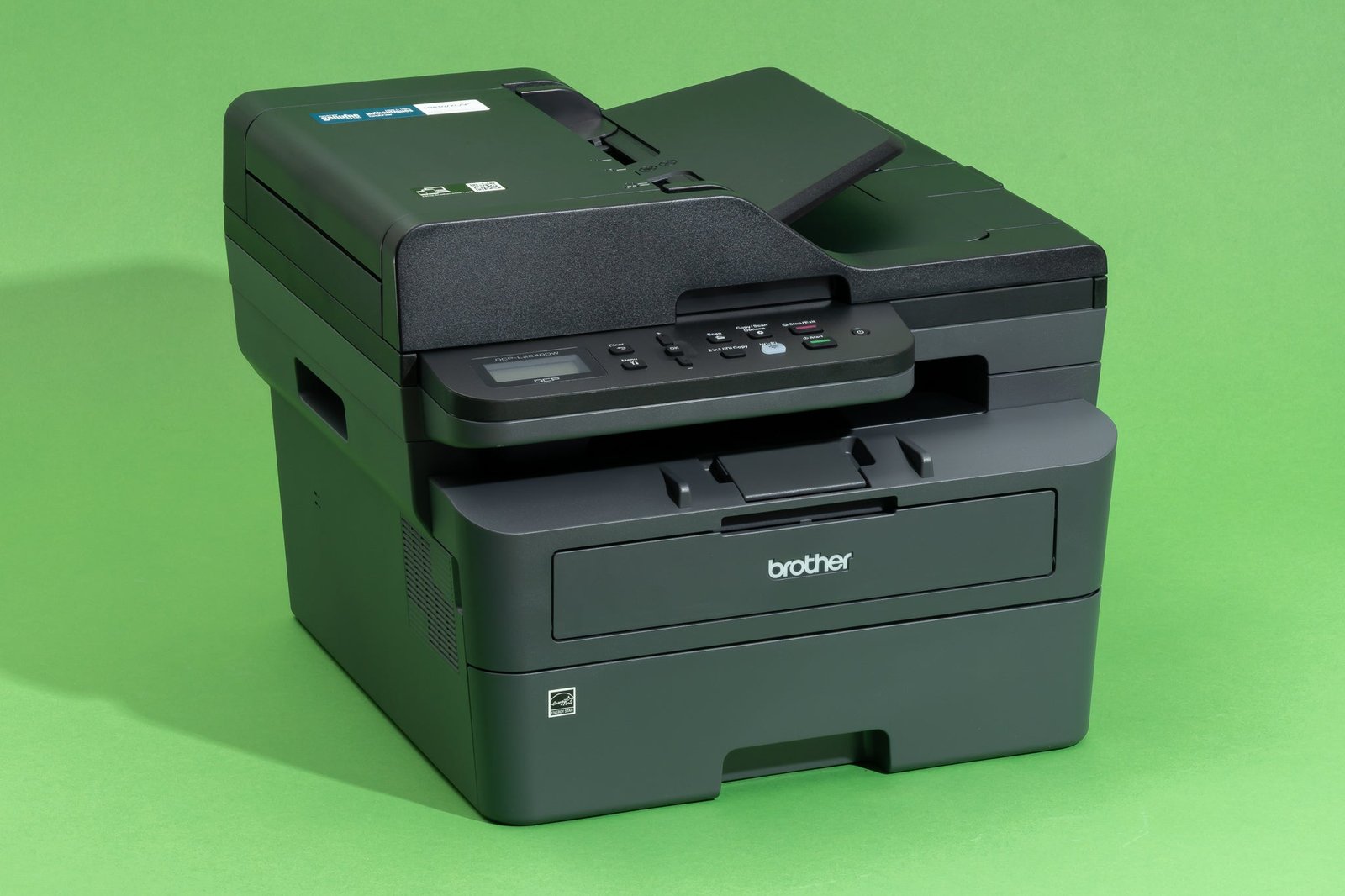
The Brother MFC-L2820DW is a compact monochrome laser all-in-one designed for home and small offices. It can print, copy, scan, and fax while occupying less space than a typical color laser machine.
Brother lists print speeds of up to 34 pages per minute. The machine includes automatic double-sided printing, a 2.7-inch touchscreen, mobile printing, cloud connectivity, and an automatic document feeder for scanning or copying multipage documents.
This is the type of printer I would recommend to an accountant, consultant, healthcare professional, lawyer, student, or remote employee who mainly handles black-and-white paperwork.
The toner and drum are separate consumables. That means you do not replace the drum every time the toner runs out, but you should include the eventual drum replacement in your long-term operating-cost calculation.
Choose the Brother MFC-L2820DW if: You want fast, clear black-and-white documents and do not want to worry about liquid ink drying between jobs.
Canon Color imageCLASS MF665Cdw: Professional Color Without Ink
The Canon Color imageCLASS MF665Cdw is designed for home offices and hybrid work environments that require both professional text and dependable color output.
Canon specifies print speeds of up to 26 pages per minute. The printer has a 250-sheet paper tray, a 50-sheet automatic document feeder, wireless and mobile printing, and a customizable five-inch color touchscreen.
One of its most useful features is single-pass duplex scanning. Instead of pulling a double-sided document through the feeder twice, the scanner captures both sides in one pass. That can save considerable time when digitizing contracts, receipts, applications, or client records.
The MF665Cdw uses four toner cartridges. High-capacity cartridges can reduce how frequently supplies are replaced, but buyers should price a full replacement set before deciding whether the printer fits their budget.
Color laser output is generally better suited to charts, logos, and office graphics than gallery-quality photographs. Choose a specialist photo inkjet if photographic printing is a major requirement.
Choose the Canon MF665Cdw if: You need fast color business documents and frequently scan double-sided paperwork.
Explore the Canon Color imageCLASS MF665Cdw
Epson EcoTank ET-4950: Low-Cost Printing for Frequent Users
The Epson EcoTank ET-4950 is a cartridge-free color all-in-one aimed at users who print often enough to benefit from high-capacity ink tanks.
Its office features include a 250-sheet tray, automatic document feeder, fax, automatic double-sided printing, copying and scanning, wireless connectivity, Ethernet, and a 2.4-inch color display.
Epson rates the ET-4950 at up to 18 black and nine color ISO pages per minute. That is slower than many laser printers, but the absence of a warmup period can make short jobs feel reasonably responsive.
The printer ships with a substantial quantity of bottled ink. Epson claims up to 6,600 black pages and 5,500 color pages from the included supply under its specified test conditions. Actual results depend on page coverage, cleaning cycles, print settings, and the type of documents produced.
Ink tanks are particularly attractive for teachers, families, content creators, and small businesses producing frequent color handouts, forms, reports, and promotional materials. The key is regular use: an expensive tank printer makes less financial sense when printing is extremely rare.
Choose the Epson EcoTank ET-4950 if: You print hundreds of color or black pages and want to reduce dependence on small cartridges.
View the Epson EcoTank ET-4950
HP OfficeJet Pro 9120 Series: Flexible Color for a Busy Office
The HP OfficeJet Pro 9120 series sits between an inexpensive household inkjet and a larger business printer. It is intended for home offices and small teams that need color printing, scanning, copying, and faxing.
HP lists print speeds of up to 22 black and 18 color pages per minute for the series. Other features include a 250-sheet tray, a 35-sheet automatic document feeder, automatic double-sided printing and scanning, Ethernet, dual-band Wi-Fi, and mobile printing through the HP app.
Models such as the OfficeJet Pro 9125e can also work with HP Instant Ink. Instead of purchasing cartridges individually, subscribers pay according to a monthly page allowance, and replacement ink is delivered automatically.
A page-based subscription can be valuable when your volume is predictable or when you print color-heavy pages. However, compare the subscription with the cost of purchasing high-yield cartridges yourself. Check how unused pages, additional pages, cancellations, and post-trial billing are handled.
Prospective buyers should also understand HP’s dynamic-security policy. HP states that certain printers are intended to work with cartridges containing a new or reused HP chip. Firmware updates may block cartridges using non-HP chips, even if they previously worked.
Choose an HP OfficeJet Pro 9120 model if: You need versatile color documents, duplex scanning, and convenient mobile or subscription-based printing.
Compare HP OfficeJet Pro models
Do You Need an All-in-One Printer?
An all-in-one printer combines printing with scanning and copying. Some models also include fax. This usually makes sense for a home office, but not every all-in-one provides the same scanning experience.
Look for the following:
- Flatbed scanner: Useful for identification cards, books, photographs, and fragile originals.
- Automatic document feeder: Processes multiple loose pages without placing each one on the scanner glass.
- Duplex scanning: Captures both sides of double-sided documents.
- Single-pass duplex scanning: Captures both sides simultaneously, making large jobs faster.
- Scan-to-email or cloud: Sends documents without requiring a complicated computer workflow.
If you regularly digitize multipage documents, the quality of the automatic document feeder may matter more than print speed.
How to Calculate the Real Printing Cost
The purchase price represents only part of what you will spend. To estimate cost per page, divide the price of a replacement consumable by its rated page yield.
For example, a black toner cartridge costing $80 and rated for 3,000 pages has a theoretical toner cost of approximately 2.7 cents per page:
$80 ÷ 3,000 = $0.0267 per page
For a more realistic comparison, include:
- Black and color cartridges, toner, or ink bottles.
- Drums, maintenance boxes, waste-toner containers, and printheads.
- Paper costs.
- Subscription charges and additional-page fees.
- Shipping or local availability of supplies.
- Electricity and eventual maintenance.
Manufacturer page-yield ratings are based on standardized test pages. Photographs, charts, cleaning cycles, borderless printing, and heavy page coverage can reduce real-world yields.
Features Worth Paying For
Automatic Duplex Printing
Automatic double-sided printing reduces paper consumption and produces more professional reports. It should be considered essential for document-heavy offices.
Ethernet and Dual-Band Wi-Fi
Ethernet provides a stable connection when the printer remains near a router. Dual-band Wi-Fi offers greater flexibility, while Wi-Fi Direct can allow local printing without joining the main network.
AirPrint and Mopria
Apple AirPrint and Mopria support make it easier to print from phones, tablets, and computers without searching for unusual drivers or applications.
High-Yield Supplies
High-yield toner or cartridges require a larger payment upfront but usually reduce the cost per page and the frequency of replacements.
Replaceable Maintenance Parts
A printer can remain useful longer when drums, rollers, waste containers, and maintenance boxes are available separately. Verify their prices and regional availability.
Check Paper Compatibility
Confirm whether the printer supports the paper used in your country and business. Many offices use A4, while North American models emphasize Letter and Legal formats.
If you print envelopes, labels, cardstock, photographs, or A3/11-by-17-inch documents, check the supported paper type and maximum weight. A printer’s multipurpose tray may support heavier media than its main paper cassette, but exceeding the specification can cause jams or damage.
Secure Your Home-Office Printer
A network printer is another connected device and should be treated accordingly. After installation:
- Change the printer’s default administrator password.
- Install firmware updates from the manufacturer.
- Disable unused services such as remote printing or fax.
- Avoid exposing the printer directly to the public internet.
- Restrict access when sensitive documents are printed.
- Remove stored addresses and settings before selling the machine.
For confidential records, use secure-print or PIN-release functionality where supported so documents do not remain unattended in the output tray.
Frequently Asked Questions
Which printer type is most reliable when used occasionally?
A monochrome laser printer is usually the safest choice for occasional black-and-white printing because toner does not dry out like liquid ink. An inkjet may require periodic printing and printhead maintenance.
Is an ink-tank printer worth the higher price?
It can be when you print regularly. Calculate how many pages you expect to produce over several years and compare bottled ink costs with cartridge or toner costs.
Should I leave my inkjet printer switched on?
Follow the manufacturer’s instructions. Many inkjets perform maintenance while in standby. Repeatedly disconnecting power can interrupt maintenance routines or lead to additional cleaning cycles.
Do I need color printing?
If most documents are contracts, invoices, and reports, a monochrome laser printer will usually cost less to operate. Choose color when charts, presentations, branding, educational materials, or photographs are regular requirements.
Is a printer subscription cheaper?
It depends on your page volume and document type. Page-based subscriptions can be attractive for predictable printing or full-color pages. They may be less economical when usage is irregular or consistently below the selected allowance.
Final Recommendation
For most document-focused home offices, the Brother MFC-L2820DW offers the most practical combination of speed, compact design, scanning, and monochrome laser reliability.
Choose the Canon Color imageCLASS MF665Cdw when sharp color business output and single-pass duplex scanning justify the higher supply costs. The Epson EcoTank ET-4950 is the stronger long-term option for frequent color printing, while the HP OfficeJet Pro 9120 series provides a flexible balance of color quality, office features, and subscription options.
Before ordering any printer, check the local price of a complete set of replacement supplies. A discounted machine is not a bargain when its toner, ink, drum, or maintenance parts are difficult to find. Buy for the pages you will print over the next three years—not simply for the lowest price displayed today.